
Forum rules - please read before posting.
remove navmesh

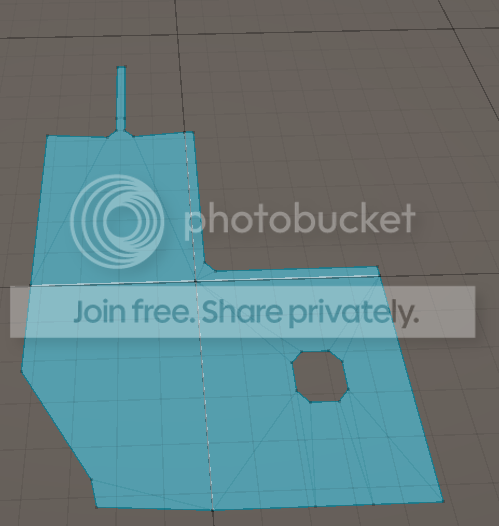
This is left over from the FP sample demo. I cant click on it and doesnt seem to be in a game object that I can delete.
Just wondering how to remove it?
Thanks.
Howdy, Stranger!
It looks like you're new here. If you want to get involved, click one of these buttons!
Quick Links
Categories
Welcome to the official forum for Adventure Creator.
Comments
The original NavMesh asset can be found in:
/Assets/AdventureCreator/Templates/SampleScene3D/SampleScene
Deleting this ought to remove it.
I am working in that scene. Is the navmesh referenced in the AC game editor somewhere?
No - it's referenced by Unity's Navigation. Delete the NavMesh asset - not the scene.
I cant find a template folder or indeed a Navmesh asset. Under Assets/AdventureCreator there is no Template folder.
Folders present are as follows:
Default
Editor
Graphics
Resources
Scripts
UI
In fact if I right click in the Hierarchy and click AdventureCreator/3d/Nagivation/Navmesh nothing new appears in the Hierarchy that I can see. Have I perhaps hidden Navmesh from the Hierarchy somehow?
found it under /Assets/AdventureCreator/scripts/Templates/SampleScene3D/SampleScene
Deleted and its gone. Thank you