
Forum rules - please read before posting.
Is it possible to have animations play between dialogue?

I want to set up my dialogue system to be similar to something like Dragon Quest 11. There's an example of what I mean around 27:48
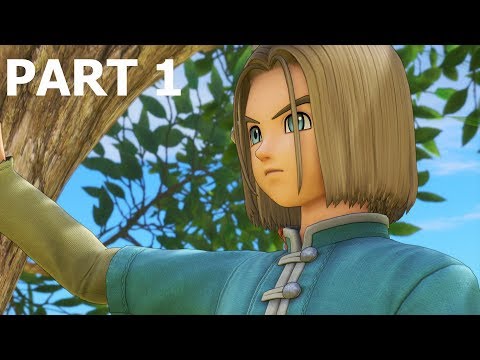
When the characters speak, they play a speaking animation, then return to an idle animation or play a reaction animation. The text is manually advanced by the player pressing a button so I'm not sure if a timeline animation with dialogue tracks and a fixed duration is what I'm looking for
Thanks!
Howdy, Stranger!
It looks like you're new here. If you want to get involved, click one of these buttons!
Quick Links
Categories
Welcome to the official forum for Adventure Creator.
Comments
I'm assuming the way to do this would be through an action list along the lines of dialogue:play speech then character:play animation, but I'm struggling to put it together
If the speech and animation are sequential, and the speech relies on input to be skipped, then separate Actions is the easier way to go.
What's the issue you're having with this approach? If you can share screenshots of what you've got so far, I'll take a look.
Sure! I think my main problem is that I'm not super familiar with how the animation controller works yet.
I have set up my player character the same way as the 3rd person tutorial. I want the game to open on a dialogue exchange between the main character and an NPC. They both have idle animations that I want to play throughout the exchange and then return to the default idle/walk animations for gameplay.
Here's a screenshot of the game screen, character controller and action list. I haven't filled in the action list for the character: animate as I'm not sure how to do it, but I'm assuming this would be the way to do what I'm after.
https://drive.google.com/drive/folders/1X9KJMKxcz_2QZuHkXZucYZHmtelLV7Ha?usp=sharing
AC allows you to play an animation from within an Animator Controll in two ways:
The latter is often the "intended" way Unity likes, but playing it by name directly allows AC to know how long the Action should last, avoiding the need to add a separate Wait command while the animation plays.
Your Controller has an animation state named "Armature_..._Lie_Down" in it - this is the one to play? Bear in mind that you can rename states within a Controller - they'll default to the same name as the animation, but you can shorten it in its Inspector after selection.
If you rename it to e.g. "LieDown", set the Animation Action's Method to Play Custom, and then Clip name to LieDown. With this option, you can then check Wait until finish? so that the Action waits before the animation has finished playing.
If you want the character to automatically revert back to their default state (MotionSpeed) after LieDown completes, you can add a Transition from LieDown to MotionSpeed that has no Conditions, but instead uses the Has Exit Time feature to have it kick in automatically.
Thanks so much for this! I'll try it out