
Forum rules - please read before posting.
Object: Transform on Player with rootmotion

Hi! I was wondering if there is a workaround for using the action Object: Transform to move a player that is driven by rootmotion.
The reason behind this is that I want to align the player to the exact position of a marker and play an animation about interacting with the world. I've tried Object: Teleport, but there is some snapping that I'm not quite fond of, and there's some issues with turning the destination accuracy to 1, so I'm trying to avoid that.That's why maybe some sliding using Object: Transform would be perfect in aligning the position of the player, but rootmotion won't allow it. Any hints?
Thank you!
Howdy, Stranger!
It looks like you're new here. If you want to get involved, click one of these buttons!
Quick Links
Categories
Welcome to the official forum for Adventure Creator.
Comments
What are your AC and Unity versions, and what is the exact behaviour you're experiencing?
There shouldn't be a conflict between these two systems - the 3D Demo's Tin Pot will react to such an Action if you attach a Moveable component to his base, provided you import AC in 2018.3 or later so that he relies on Root Motion.
Try it with him by dropping him into your scene to override your own Player, and attach a Moveable component - does it work then? If not, make sure the Action to do so blocks gameplay. If so, compare your Player's Inspector with his - as that's likely where the difference in behaviour is coming from.
Do be aware that, when the Destination accuracy is ramped up to 1, there is an additional "Super-accurate" setting that becomes available. This behaves similar to the above, in that it lerps the character to the destination as they get close.
Hi Chris! Thanks for your answer
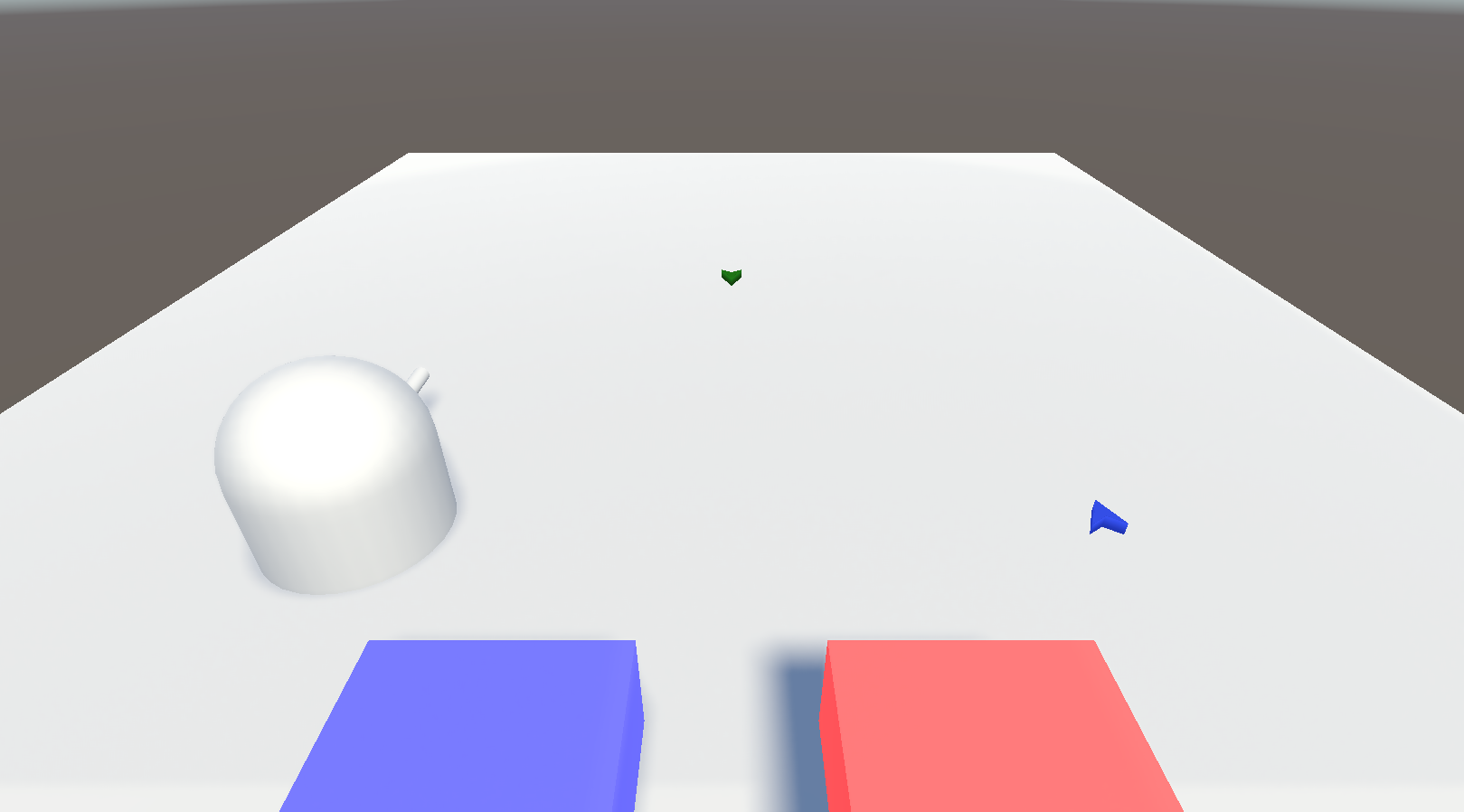
My Unity Version is 2019.2.13f1 and AC version is 1.71.8
Other characteristics is that I have player switching on and destination accuracy as 0.9
I tested this behaviour with Tin Pot as the default player (with a moveable component attached) on this scene:
But the same thing happens, it rotates but stays in the same position:
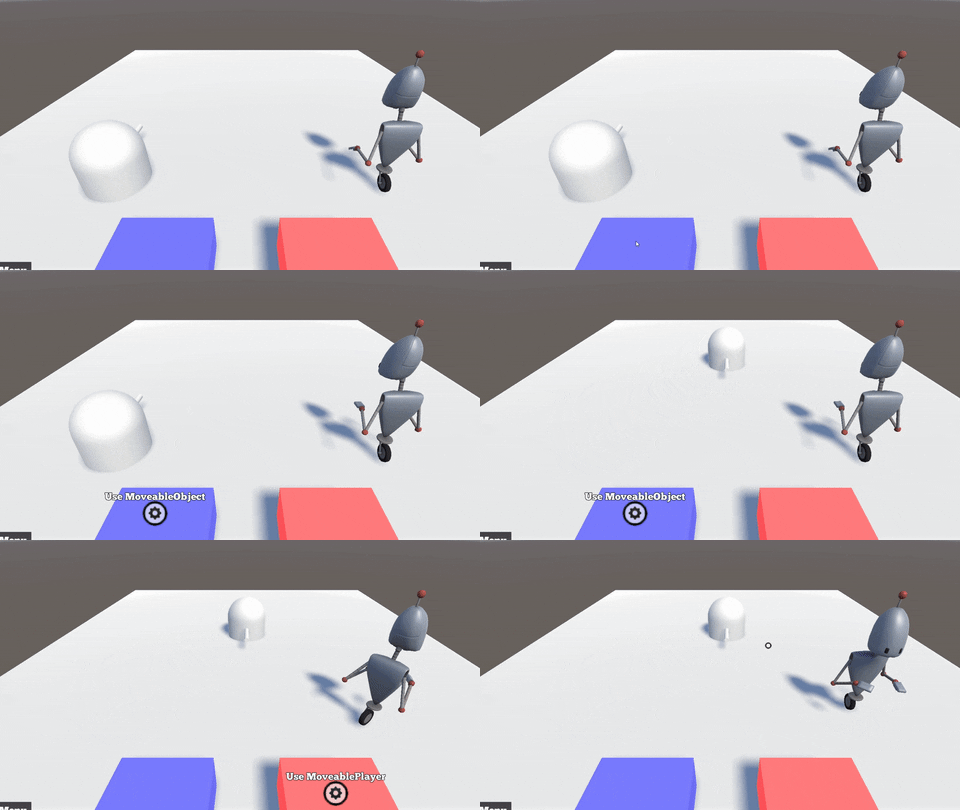
But when deactivate the "Apply Root Motion" checkbox under the animator component it works fine
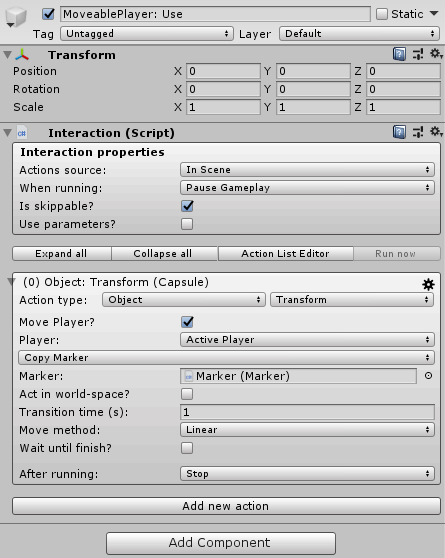
This is the MovePlayer Action:
Thanks for the "Super-accurate" tip, I might try that too!
Make sure the Action blocks gameplay. Check Wait until finish? in the Action.
If no difference, have you tried it in the 3D Demo scene + Managers assigned?
Give it a go there - it works in that situation for me just fine, and it's important to both be working with the same setup.
Do you mean "When running: Pause Gameplay"? I tried that and Wait until finish? too, but still doesn't work. I even created a new project and imported AC only, opened the 3D demo scene, added the moveable component to Tin Pot, changed a hotspot from the demo scene to only do the Object: Transform action, but the same behaviour happens. Objects move just fine, the player is the issue.
I tried reimporting ActionTransform.cs to no avail.
I'm at a loss here, I have no idea what's causing this behaviour on my end.
Ah, recreated.
It appears to be related to the version of Unity used.
It's likely that a workaround can be automated that would involve a moved object's Apply Root Motion checkbox is temporarily disabled during the operation.
Can you confirm on your end that manually unchecking this option on your own Player, then running the Action, then re-checking the option, causes the motion to be correct?
I'm glad to know it wasn't just on my end, but the unity version.
I can confirm that disabling the checkbox, running the action and then re-checking the option casues no problems whatsoever, so it would be a valid workaround for this issue
I've looked into automating this, though I'm not happy with the results. It seems it's based on other factors in the way the character is set up.
At the very least, a custom script attached to the Player can be used to disable/enable the "Root Motion" option:
Those functions can then be called using the Object: Send message Action, setting Message to send to Custom.
I have, however, had success in the past with using Timeline's easing-in features to correct a character's position for a cutscene - this may be another avenue to consider, if this forms a cutscene that can be handled using Timeline.
Thank you Chris! As for now, I've set up an ActionList which disables the Animator's Rootmotion, does the Object: Transform for the player and then reenables Rootmotion. It works for now, but I'll also try using Unity's Timeline to see which is better.
Thanks a ton for your help!