
Forum rules - please read before posting.
Passive animation for inventory element button?

Early'ish in my game, the player is handed a map from an NPC. The map now appears as a permanent button element in the inventory UI (not an inventory item). I'd like to have the map blink as a passive looping animation until the player clicks on it for the first time, then it stops blinking. How do I get an inventory element button sprite to animate?
Howdy, Stranger!
It looks like you're new here. If you want to get involved, click one of these buttons!
Quick Links
Categories
Welcome to the official forum for Adventure Creator.
Comments
The inventory source is AC.
Tricky. For a regular Button element, you'd normally need to rely on the Unity UI source option, and then use Animation to control its Image sprite.
Animated textures otherwise are limited to cursors. It might be possible to define a new Interaction icon, give it an animated texture, and then use a custom script to reference that texture, updating the Button's background with it. Try this:
I don't see any animation options for textures on the Interaction icon. Does this mean the approach is not possible or am I missing something?
What is your AC version? You should find an "Animate?" option appears underneath once an Interaction icon has a texture assigned.
I'm running AC 1.86.5
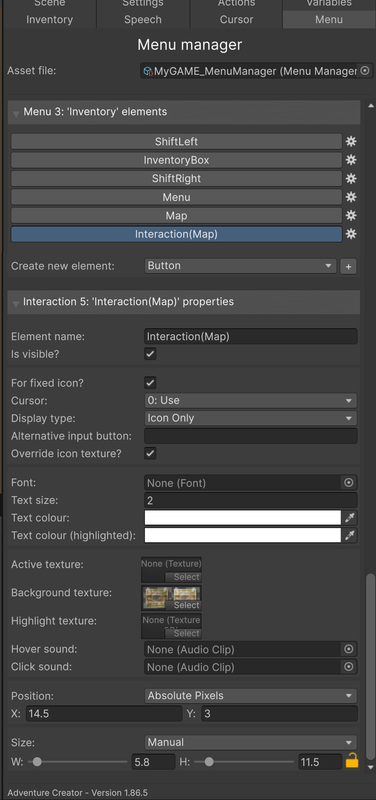
This is what the settings look like. 'Active Texture' or 'Highlight Texture' also doesn't give me an animation option.
I'm referring to the Cursor Manager's Interaction icons panel.
I see, my misunderstanding. I'll look into that.