
Forum rules - please read before posting.
Different "walking speed" in 2.5D game


At an image like that "walking" is right. I 've built a navigation mesh and the character walks on it.
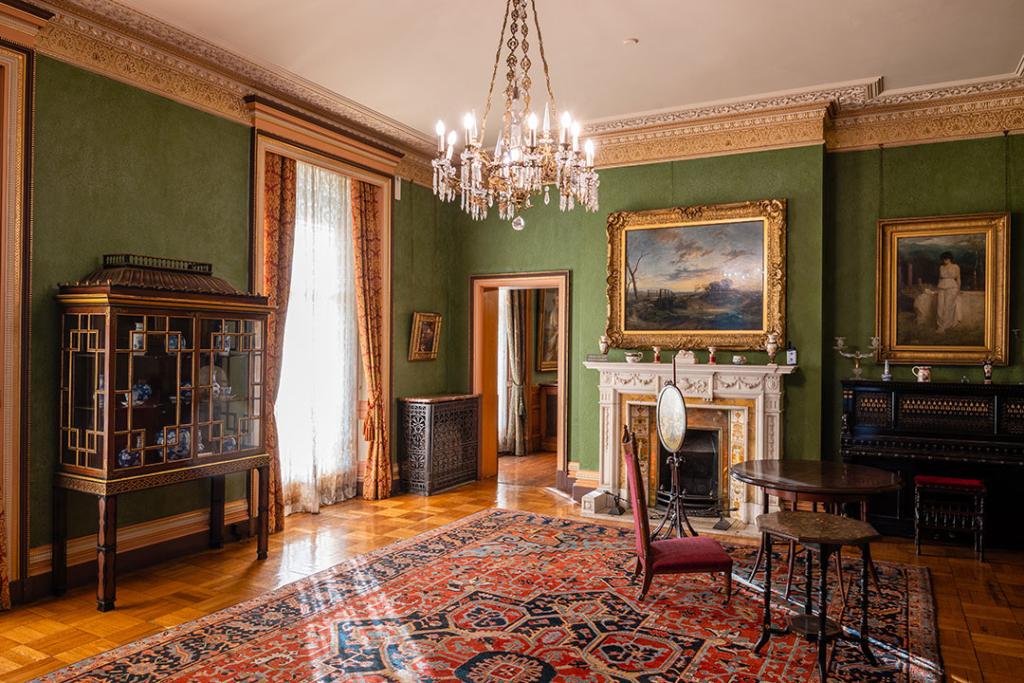
At this type of image walking takes "too much time". Is there an option to adjust the player's movement inside the world depending on the background image?
Basically, to scale the world accordingly so movement in x/y/z is appropriate, depending on the background image.
Howdy, Stranger!
It looks like you're new here. If you want to get involved, click one of these buttons!
Quick Links
Categories
Welcome to the official forum for Adventure Creator.
Comments
Is this 2.5D in the AC sense, i.e. use of the "2.5D" Camera perspective option?
If so, character movement occurs using 3D navigation, rather than faked 2D polygons. The 3D Navigation mesh should accurately mimic the floor plan with correct measurements, allowing movement speed to appear realistic.
Can you share images of your Navigation meshes?
https://imgur.com/a/BimqpYD
Ι suspect the issue is, no matter the mesh, that the camera allows movement in depth. Making the mesh shorter just limits the screen. I mean i need less moving space for all directions in a certain camera and I don't know how to accomplish that.
I added a script that would scale the frustum of the 2.5d camera but no luck, it still has the same movement space from far left to far right for example, i suspect this could be a scene option?
I think that it's AC's fault -> It needs to have a 2.5D camera that can adjust the viewing size - or, tell me how would I build a mesh IF i have a bg image live the above bedroom. Even If I put a single default cube and enlarge it, moving from left to right will take a lot of time.
See
https://imgur.com/a/jCklFmi
For 2.5D games, characters move around in 3D space that matches what the background suggests - movement in depth is a key part of that.
The background itself will remain fixed regardless of the camera's orientation or field-of-view. The camera's field-of-view should match that of the camera that was used to take the original background image.
From what I'm seeing, the camera for your interior scene needs a much lower field-of-view, and the floor mesh should be much smaller - try only 6 or 7 units wide and adjust the camera to match.