
Forum rules - please read before posting.
3D Direct WASD Character not moving around scene

Hi Chris!
I have two issues so far, I hope you can help me, and thank you for your assistance!
The 1st issue:
I created a new game using the 3D DirectInput style.
The character responds to WASD input by changing directions.
However, the character does not move around the scene space.
Video below:
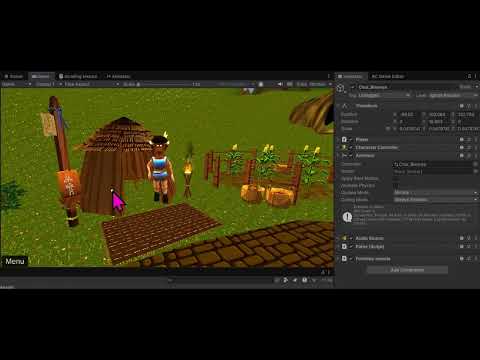
The 2nd issue:
I have an idle, run, and jump animation.
The player randomly cycles through these animations.
How can I trigger the run animation on WASD input?
Thank you for helping me with these issues! I appreciate your time and diligence! 
Howdy, Stranger!
It looks like you're new here. If you want to get involved, click one of these buttons!
Quick Links
Categories
Welcome to the official forum for Adventure Creator.
Comments
What are your AC/Unity versions?
I'm sure they're simple issues to sort, but I'll need to see more to understand exactly what's going on. If you can share screenshots of the following, I'll see if I can spot the issue:
Hi Chris!
Thanks for assisting me with this issue!
I am using Unity version 6000.4.1f1
I am using Adventure Creator Version 1.86.4
Here are the timestamps for the requested items:
Scene Manager at 00:13
Settings Manager at 00:32
Player Inspector at 1:37
Animator Controller window at 2:36
Thanks again for assisting me with this issue!
I really appreciate your support!
Thanks for the video.
The animation issue occurs because the Transitions between your Idle and Walk states is based on Exit Time, and not the character's Move speed.
Uncheck Has Exit Time for both, add a Float parameter named Speed (to match the Player's Inspector), and use it as a Condition for the two Transitions. A tutorial on this can be found here.
For the movement issue, the main thing that's sticking out for me is the character's Pivot position being in their centre, rather than by their feet. To fix this you may need to move your Animator / Mesh to a child object so that you can then affect its Y-position locally, and then raising the Character Controller's Y Offset so that the Pivot point (shown in the video by the Audio Source icon) is now at the bottom of the capsule.
A quick way to check if the issue is with the character vs the scene, however, is to try out the Sample 3D Player prefab, which you can install by re-running the New Game Wizard and choosing Modify existing on the first page to bring up the list of Templates. Once installed, this Player will be listed as the default in your Settings Manager - so if you then temporarily disable your Player object in the scene, the game will rely on this new one. Do they have the same issue?