
WebGL on Mobile: Taps ignored when using New Input System

Hi Chris, my first mouse-driven game I made last year and put on itch.io works on mobile with being able to play the game on a phone and tap around the level to interact with things. But input on mobile for my new game doesn’t work on mobile on itch.io. I suspect it’s because I’m using new Unity Input for the new game, perhaps phone taps aren’t being converted to mouse clicks and mouse movement? What settings should I look at?
This is somewhat of a follow-on thread to my previous forum post in Oct about New Unity Input system, but I figure it would be best to start a new thread.
Some Context:
• Old Project: Used the standard Unity "Legacy" Input Manager. AC Input Method was set to Mouse and Keyboard. When played on a phone via the browser, taps were automatically detected as mouse clicks, and the game worked perfectly.
• New Project: I am now using Unity's New Input System (Active Input Handling is set to "New", not "Both"). AC Input Method is still set to Mouse and Keyboard.
The Problem:
On the new project, the WebGL build runs fine on desktop, but when played on a mobile browser, it ignores all screen taps. I suspect this is because the New Input System doesn't automatically convert Touch to Mouse like the old system did.
My Questions (Gemini helped me formulate these questions, they may be a bit leading tbh):
1. Since AC spawns the EventSystem at runtime (as you described earlier in the thread), what is the best way to ensure it spawns with the Input System UI Input Module instead of the Standalone one? Should I assign a custom prefab in the Menu Manager?
2. Do I need to manually enable TouchSimulation via a script to get AC’s "Mouse and Keyboard" mode to recognize phone taps, or is there a native AC setting/integration I should check to handle this bridge?
Thanks. I’m hoping there’s perhaps an easier solution like an AC setting somewhere to get a mouse game to automatically work on mobile.
Howdy, Stranger!
It looks like you're new here. If you want to get involved, click one of these buttons!
Comments
Or, would dynamically switching to joystick/gamepad be a better move and serve the same purpose? Not sure if I’d still need the script on the ACWiki as I think Unity’s New Input System has been kind of integrated into more recent versions of AC?
https://adventurecreator.org/forum/discussion/14856/input-method-auto-switch-help
I still don’t understand a lot of it, but I do remember I selected ‘use new input system’ as one of the new game settings, then ran into problems when I tried to change it later on.
You'll need to ensure your game has AC's "Input System integration" template installed, which is now a part of AC and available in the New Game Wizard.
This will assign a custom Event System prefab at the top of the Menu Manager, which will be the one spawned at runtime. This prefab include the Input System UI Input Module needed for UI interactivity.
You'll need to ensure AC's Input method is set to Touch Screen - Input System is less forgiving than Input Manager in this regard, and needs to be explicitly told to read touch input rather than letting touch input react to mouse input checks.
If you want the same build to alter this field based on the device being used, you can use a simple script - but I'd first recommend double-checking with a fixed build that this is the main issue.
Thanks Chris,
So, here's my Menu Manager. Does this mean I have AC's 'Input System Integration' template correct installed and set up?
I've set AC's Input Method to Touch Screen and the game does indeed run on mobile touch screen on itch.io.
Incidentally and interestingly, the mobile version also works on desktop with keyboard and mouse, but the issue is the cursor disappears during cutscenes so I can't click the 'skip' button. Maybe there's a remedy for that?
I far preferred the first game I made using the old system, where I could make a build that uses Mouse and Keyboard as its input settings, and it also worked on Mobile touchscreen, and worked for SteamDeck, without me changing anything.
Is there a way to get the same results as this with the new Input System, ie a build that's primarily made for Desktop Computers / Keyboard and Mouse (left and right click), but that as a bonus, also works on Mobile touchscreens if someone is playing it on itch.io, and also will work on Steam Deck?
Or it seems with the new Input System I could make a touch screen build that as a bonus kind of works for mouse and keyboard too, but I think best to develop with Desktop primarily in mind as the touch screen will prob be a smaller audience... wondering what's best here.
Many thanks.
That's the correct prefab.
To be clear: the game runs as intended, on mobile, when using "Touch Screen" input?
This field will need to be set to the correct value depending on platform. You can, however, set it dynamically at runtime.
The prefab will attempt to change this value for you based on the last-detected input, if Auto Sync Input Method is checked, but if you want to set this manually (i.e force Touch Screen always when running on a mobile device), you can uncheck this and instead set the value through custom script:
Hi Chris. Thanks.
So, to try be clearer:
With new Input System:
Mouse and Keyboard build (tested on WebGL and Mac) - runs on both desktop and mobile, BUT on mobile, touch screen inputs are not registered.
Touch Input build (tested on WebGL and Mac) - runs on both desktop and mobile, as a bonus mouse inputs work too BUT cursor is hidden in cutscenes when using mouse.
With old Input system:
I'll check if I have Auto Sync Input Method checked (maybe it's as simple as that?). Thanks re script, may try that too.
Happy holidays if I don't hear from you before the New Year! Hope you're taking a restful break, and thanks for all the assistance for this year and last.
The behaviour you're describing sounds about what I'd expect. The new Input System is more powerful, but more rigid about touch/non-touch inputs being shared.
I'd recommend unchecking the option and forcing the value through script, as it's a value you'd want to set at the game's start and keep fixed for its duration.
Hi Chris. Compliments of the New Year. Been fiddling with this more and was able to find the Auto-Sync input method once, but then it disappeared. Turns out it wasn't showing, I'm getting this disappearing menu text: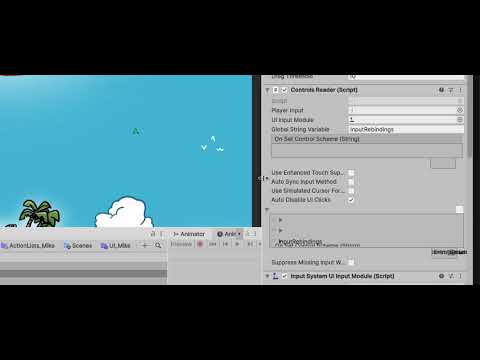
Ac 1.85.1 on Mac Tahoe 26.2 and Unity 6...58f2.
Should I update my AC version to latest?
Unfortunately can't seem able to get this WebGL build to work properly for both Desktop mouse and keys and Touch Input for mobile, I made a simple C# script with the line you suggested, used AC Namespace, attached it to an empty object in the scene, but still not able to get mobile touchscreen inputs to register when using a mobile device for the WebGL mobile build.
Taking a step back here, may I ask what you recommend - keep forging ahead with the New Input System, or because my game's input is pretty simple and I found the first game I made worked well with without the New Input System - a WebGL build worked on both desktop mouse and keyboard and mobile touch input, and a desktop build worked as intended with mouse and keyboard on PC, Mac and Linux and Steam Deck.
If it's better to forego the New Input System, may I ask what's the cleanest way to remove it from my project and make sure the game knows it's not supposed to use the New Input System please?
I asked Google Gemini Pro on the best way to do this (remove New Input System) and got this reply. Did that and it seems to work well - the 'mouse and keyboard' WebGL build work both for mouse and keyboard input as well as touchscreen input. I have to redo some QTE inputs that use eg
InteractionA(New Input System) toFire1(Old Input System)Gemini:
Ultimately you have to go with what feels right for your game's needs. Gemini's generally correct about the process. Be aware that you can use the Actions Manager to get a list of all instances of a given Action type. I'm not sure of the need to redo the QTE inputs, though - you can define multiple inputs of the same name in the Input Manager.